


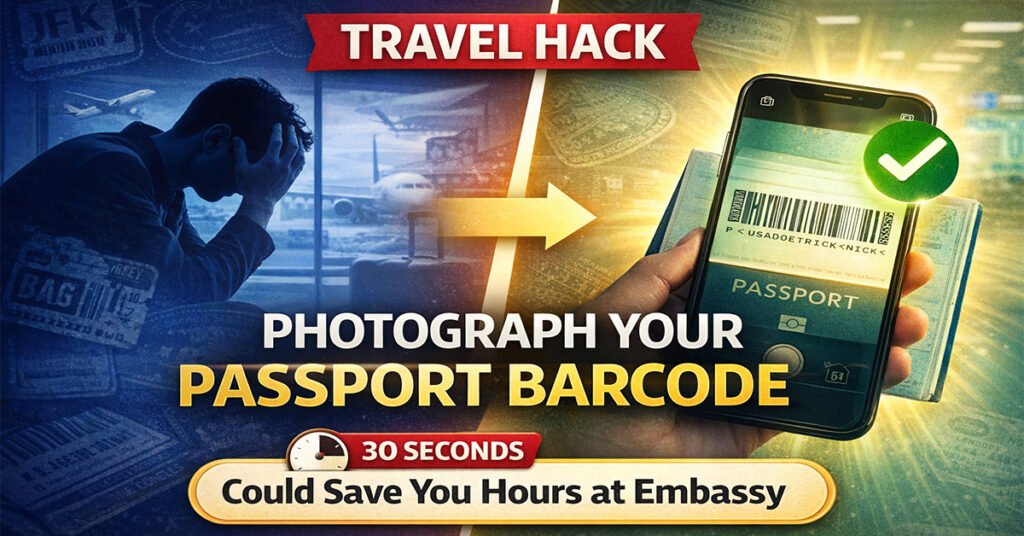
Lost your passport while traveling abroad? It’s one of those nightmare scenarios that can derail an entire trip. But there’s a simple trick that takes 30 seconds and could save you hours of stress at a foreign embassy—and surprisingly few travelers know about it.
The 30-Second Hack That Could Save Your Trip
Before your next international adventure, flip to the back page of your passport and snap a clear photo of the barcode printed at the bottom. That’s it. This tiny action could be the difference between getting an emergency passport in one day versus waiting several stressful days while scrambling to remember your passport details.
Travel influencer Valerie Stemper recently brought attention to this underused travel tip in early 2025, sharing it with her Instagram followers. “If you lose your passport when you’re in another country, this will expedite the process exponentially,” she explained in a viral video that resonated with seasoned travelers and first-timers alike.
What’s Actually in That Little Barcode?
You might walk past your passport’s barcode dozens of times without giving it a second thought. But that unassuming pattern of lines contains a treasure trove of information—everything border control officers need to verify your identity in seconds.
The passport barcode contains all the information visible on your biographical page, plus additional encrypted data, creating a secure, machine-readable version of your identity document.
Here’s what’s encoded in that barcode:
- Full legal name exactly as it appears in your passport
- Passport number that uniquely identifies your document
- Nationality confirming your citizenship
- Date of birth for age verification
- Gender as recorded on your passport
- Passport expiration date showing validity period
- Machine-readable zone (MRZ) data used at border crossings
The barcode uses PDF417 technology, a high-density two-dimensional barcode format that can store significantly more information than traditional barcodes. This is the same technology that enables quick scanning at airports, border crossings, and immigration checkpoints worldwide.
Why This Matters When Your Passport Goes Missing
When you lose your passport abroad, you’re not just missing a document—you’re missing your ticket home. Without a valid passport, you can’t board international flights, cross borders, or even check into hotels in many countries.
Contact the nearest U.S. embassy or consulate for help, and you will have to appear in person to apply for a new passport. During this already stressful process, you’ll need to provide extensive information about your lost document, and having a photo of your barcode makes this dramatically easier.
The Emergency Passport Application Process
Here’s what happens when you report a lost passport at a U.S. embassy or consulate abroad:
Immediate Action Required: Embassy staff will need detailed information to process your emergency passport application. You must provide your passport number, issue date, expiration date, and personal details—all information conveniently stored in that barcode photo you took.
Documentation You’ll Need: Please bring with you to the embassy or consulate: One passport photo 2×2 in or 5×5 cm, along with proof of U.S. citizenship, secondary identification, and details about your travel plans. The more documentation you have, the smoother the process.
Timeline Considerations: If you are scheduled to travel soon, please give the consular staff the details of your trip. Embassy officials will prioritize urgent cases, but having all your information readily available speeds up processing significantly.
Step-by-Step: What to Do If You Lose Your Passport Abroad
1. Report It Immediately (Critical First Step)
After you report your valid passport lost or stolen, you cannot use it for international travel even if you find it later. Time is crucial here—reporting promptly protects you from identity theft.
How to Report:
- Online: Use Form DS-64 through the official State Department website
- Phone: Call 1-877-487-2778 (U.S. callers) or +1-202-501-4444 (international)
- In Person: Visit the nearest U.S. embassy or consulate
Once reported, the DOS will cancel your passport within one business day, rendering it invalid to prevent fraudulent use.
2. Consider Filing a Police Report
While not mandatory, filing a police report in the country where your passport was lost or stolen creates an official record. This can be invaluable for:
- Confirming the circumstances of the loss
- Supporting your embassy application
- Filing insurance claims if applicable
- Protecting against potential identity theft
Contact local police as soon as possible. Request a copy of the report for your records—you may need to present this at the embassy.
3. Locate the Nearest U.S. Embassy or Consulate
The United States maintains nearly 200 diplomatic missions worldwide. Find yours through:
- Travel.State.Gov – Official embassy locator
- U.S. Embassy mobile apps – Available for iOS and Android
- Smart Traveler Enrollment Program (STEP) – If enrolled, they can help locate you
Schedule an appointment immediately. Many embassies require appointments even for emergency services, and availability can be limited.
4. Gather Required Documents
Before your embassy appointment, assemble everything you’ll need:
Essential Documents:
- Completed Form DS-11 (Application for U.S. Passport)
- Completed Form DS-64 (Statement Regarding Lost/Stolen Passport)
- One passport photo (2×2 inches or 5×5 cm)—get this professionally taken if possible
- Proof of U.S. citizenship (birth certificate, naturalization certificate, or copy of lost passport)
- Government-issued photo ID (driver’s license, state ID, or military ID)
- Proof of travel plans (airline tickets, hotel reservations, itinerary)
- Police report (if you filed one)
That Barcode Photo: Present your barcode photo to speed up the verification process. It contains all your passport details in an easily scannable format, potentially saving valuable processing time.
5. Prepare for Fees
Passport replacement isn’t free, even in emergencies. Budget for:
- Regular passport book: $130 application fee + $35 execution fee
- Expedited service: Additional $60 if needed urgently
- Emergency passport: Fees vary by embassy location
If you’re experiencing severe financial hardship or are a victim of crime or disaster, you may qualify for fee waivers. Ask embassy staff about available assistance.
6. Understand Emergency Passport Limitations
If there isn’t enough time to receive your regular passport, the consular section can offer you an emergency passport, which may be valid for up to 1 year.
Important Limitations:
- Restricted validity: Usually valid for one year or less
- Limited acceptance: Some countries may not accept emergency passports
- Exchange required: You can exchange it for a full-validity passport after your trip
Check with your destination country before accepting an emergency passport. Some nations require full-validity passports with at least six months remaining before expiration.
Beyond the Barcode: Complete Pre-Trip Documentation
The barcode photo is just the beginning. Smart travelers create a comprehensive digital backup system:
Create a Complete Passport Photo Set
Front Data Page: Photograph the main identity page containing your photo, signature, and all personal details. This is the most critical page and should be crystal clear.
Signature Page: Capture the page where you signed your passport. This helps verify authenticity during replacement.
Barcode Page: That valuable back page with all the encoded information—the focus of this guide.
Store Multiple Backup Copies
Digital Backups:
- Email PDFs to yourself using a secure email account
- Upload to encrypted cloud storage (Google Drive, Dropbox, iCloud)
- Store in password-protected note apps
- Save offline copies on your phone and tablet
Physical Backups:
- Leave photocopies with trusted family or friends at home
- Pack a separate photocopy in your checked luggage
- Keep one copy in your carry-on (separate from your actual passport)
- Store a copy in your hotel safe
Security Considerations
Protect Your Digital Copies: Passport scans contain sensitive personal information. Secure them properly:
- Use password-protected files or encrypted storage
- Enable two-factor authentication on cloud accounts
- Avoid storing in easily accessible locations like email drafts
- Never post passport photos on social media
- Delete temporary copies from borrowed devices
Physical Document Safety:
- Use RFID-blocking passport holders to prevent electronic pickpocketing
- Keep passports in hotel safes when not needed
- Carry photocopies for routine ID checks, saving your actual passport for official use
- Use body wallets or neck pouches in high-risk areas
Additional Critical Information to Record
Beyond your passport, document these essential details before traveling:
Travel Documents
- Visa information: If traveling to countries requiring visas, photograph visa pages
- Travel insurance policy: Store policy numbers, contact information, and coverage details
- Emergency contacts: Embassy phone numbers, travel insurance hotlines, credit card company numbers
- Itinerary details: Flight numbers, hotel reservations, confirmation codes
Financial Information
- Credit card numbers: Front and back of all cards (store securely)
- Bank contact information: International customer service numbers
- Travel money: Record serial numbers of large bills if carrying cash
Medical Information
- Prescriptions: Photograph medication labels and prescriptions
- Medical conditions: Document chronic conditions, allergies, blood type
- Doctor contacts: Primary physician information and relevant specialists
- Vaccination records: COVID-19 cards, yellow fever certificates, required immunizations
Real Stories: When Barcode Photos Made the Difference
Case Study: Sarah’s Rome Emergency
Sarah, a 34-year-old teacher from Seattle, had her bag stolen during her first day in Rome. Inside was her passport, credit cards, and phone.
“I was completely panicked,” she recalls. “But I’d emailed myself photos of my passport, including that barcode page everyone talks about. At the embassy, while others were struggling to remember their passport numbers and issue dates, I pulled up my email on a borrowed laptop and had everything they needed in seconds. I got my emergency passport the next day.”
Case Study: The Bali Beach Disaster
James lost his passport during a beach day in Bali when a wave unexpectedly soaked his backpack. The passport was ruined and illegible.
“The barcode photo saved me. My passport was literally falling apart and you couldn’t read the numbers anymore. But I had that photo on my phone. The embassy staff scanned it with their equipment and had all my information instantly. What could have been a week-long nightmare turned into a two-day inconvenience.”
Common Mistakes That Make Passport Loss Worse
Don’t Make These Errors:
Delaying the Report: Every hour you wait to report a lost passport increases identity theft risk. Report immediately, even if you think you might find it.
Using Unofficial Websites: Only use official government websites (ending in .gov) to report lost passports or download forms. Scam sites exist to steal your information.
Assuming Your Passport Will Be Found: Hope is not a strategy. Start the replacement process immediately rather than waiting to see if someone returns it.
Carrying Your Only ID Copy: If your actual passport and your photocopy are in the same bag, you’re not actually prepared. Keep copies in separate locations.
Not Checking Entry Requirements: Some countries require passports valid for six months beyond your travel dates. An emergency passport with limited validity might not meet these requirements.
Forgetting About Visas: If you have valid visas in your lost passport, contact those countries’ embassies. You may need replacement visas even with a new passport.
Prevention: Best Practices for Passport Security
While Traveling:
At Airports: Keep your passport on your person in an interior pocket or body wallet. Never pack it in checked luggage or leave it unattended.
At Hotels: Use in-room safes when available. If no safe exists, keep your passport on your person or ask about hotel security boxes.
During Activities: Many tourist destinations don’t require you to carry your actual passport. A photocopy often suffices for age verification or casual ID checks. Save your real passport for official situations.
In Transit: Airports, train stations, and tourist areas are prime pickpocket zones. Use anti-theft bags, wear your passport close to your body, and stay vigilant.
Before You Travel:
Check Passport Validity: Ensure your passport won’t expire during your trip and meets destination country requirements (usually six months validity remaining).
Apply for Trusted Traveler Programs: Programs like Global Entry, NEXUS, and TSA PreCheck provide backup documentation and can help verify your identity if problems arise.
Update Emergency Contacts: Fill out the emergency information page in your passport with current contact details.
Consider Passport Cards: For land or sea travel to Canada, Mexico, Caribbean, or Bermuda, passport cards provide a backup form of identification.
Technology Solutions for Modern Travelers
Passport Protection Apps
Several apps help protect your travel documents:
- TripIt: Stores passport scans securely alongside itinerary details
- Mobile Passport Control: Official CBP app that can store passport information
- LastPass or 1Password: Secure password managers can store encrypted document scans
- Google Drive/Dropbox: Cloud storage with offline access capabilities
Smart Traveler Enrollment Program (STEP)
Register your trip with the U.S. State Department through STEP. Benefits include:
- Embassy alerts about safety conditions
- Easier location during emergencies
- Faster assistance if your passport is lost
- Travel advisories and security updates
What About Non-U.S. Passports?
This guide focuses on U.S. passports, but the principles apply universally:
For Other Countries:
- Most modern passports contain similar barcodes with encoded information
- Contact your country’s embassy or consulate immediately if traveling abroad
- Replacement processes vary by country but generally require similar documentation
- EU citizens have additional protections through any EU embassy in countries without their own representation
Universal Tips:
- Photograph your passport regardless of nationality
- Know your embassy’s location before traveling
- Understand your country’s specific replacement procedures
- Check visa requirements for both your home country passport and emergency documents
The Bottom Line: 30 Seconds Could Save Your Trip
In an era where we photograph everything from meals to boarding passes, it’s surprising how many travelers neglect the single most important document they carry. Taking 30 seconds to photograph your passport’s barcode isn’t paranoia—it’s smart preparation.
Quick Action Checklist:
✓ Photograph the main data page (with your photo)
✓ Photograph the barcode page (back of passport)
✓ Photograph the signature page
✓ Upload photos to secure cloud storage
✓ Email copies to yourself
✓ Leave photocopies with trusted contacts at home
✓ Store digital copies on your phone (password protected)
✓ Record passport number separately in a note app
✓ Save embassy contact information for your destinations
✓ Enroll in STEP for added protection
Lost passports happen to thousands of travelers annually. The difference between a manageable inconvenience and a trip-ending disaster often comes down to preparation. That barcode photo you took before leaving? It might just be the most valuable 30 seconds you invested in your entire trip.
Don’t wait until you’re standing in an embassy abroad, desperately trying to remember your passport number while your flight home boards without you. Take five minutes right now, grab your passport, and create those backup photos. Your future self will thank you.
Important Resources:
- Report Lost/Stolen Passport: travel.state.gov/content/travel/en/passports/have-passport/lost-stolen.html
- Find U.S. Embassies: usembassy.gov
- Emergency Assistance: From U.S.: 1-888-407-4747 | International: +1-202-501-4444
- Online Passport Services: travel.state.gov/passports
Always verify current requirements and procedures at official government websites before traveling, as policies and procedures may change.